
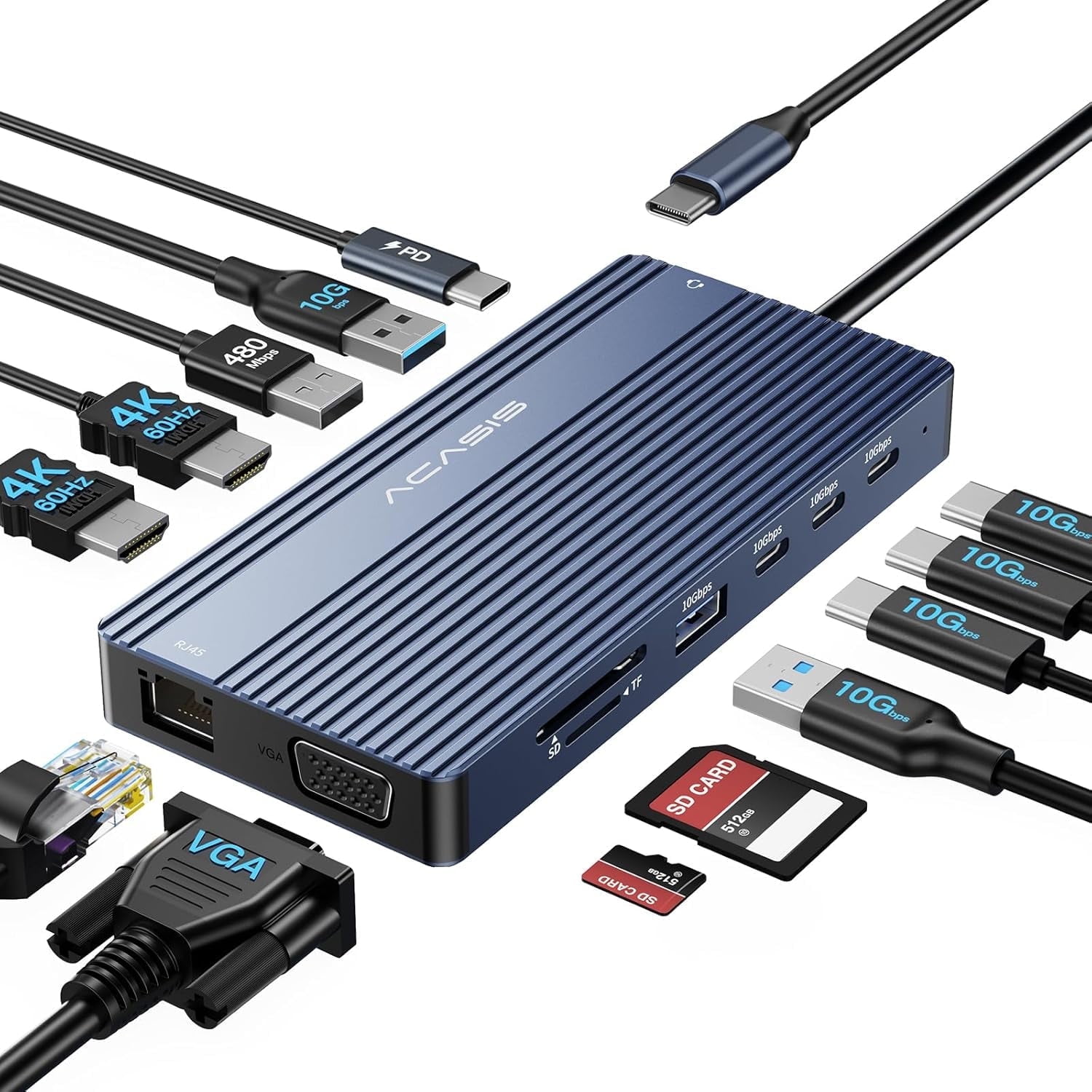
ACASIS 16-in-1 USB-C Triple Monitor Docking Station with Dual HDMI 4K@60Hz, VGA, 100W PD Charging, 10Gbps USB Ports, Gigabit Ethernet, for Windows/Mac/Laptop
Product details
| Management number | 230557871 | Release Date | 2026/06/18 | List Price | $16.00 | Model Number | 230557871 | ||
|---|---|---|---|---|---|---|---|---|---|
| Category | |||||||||
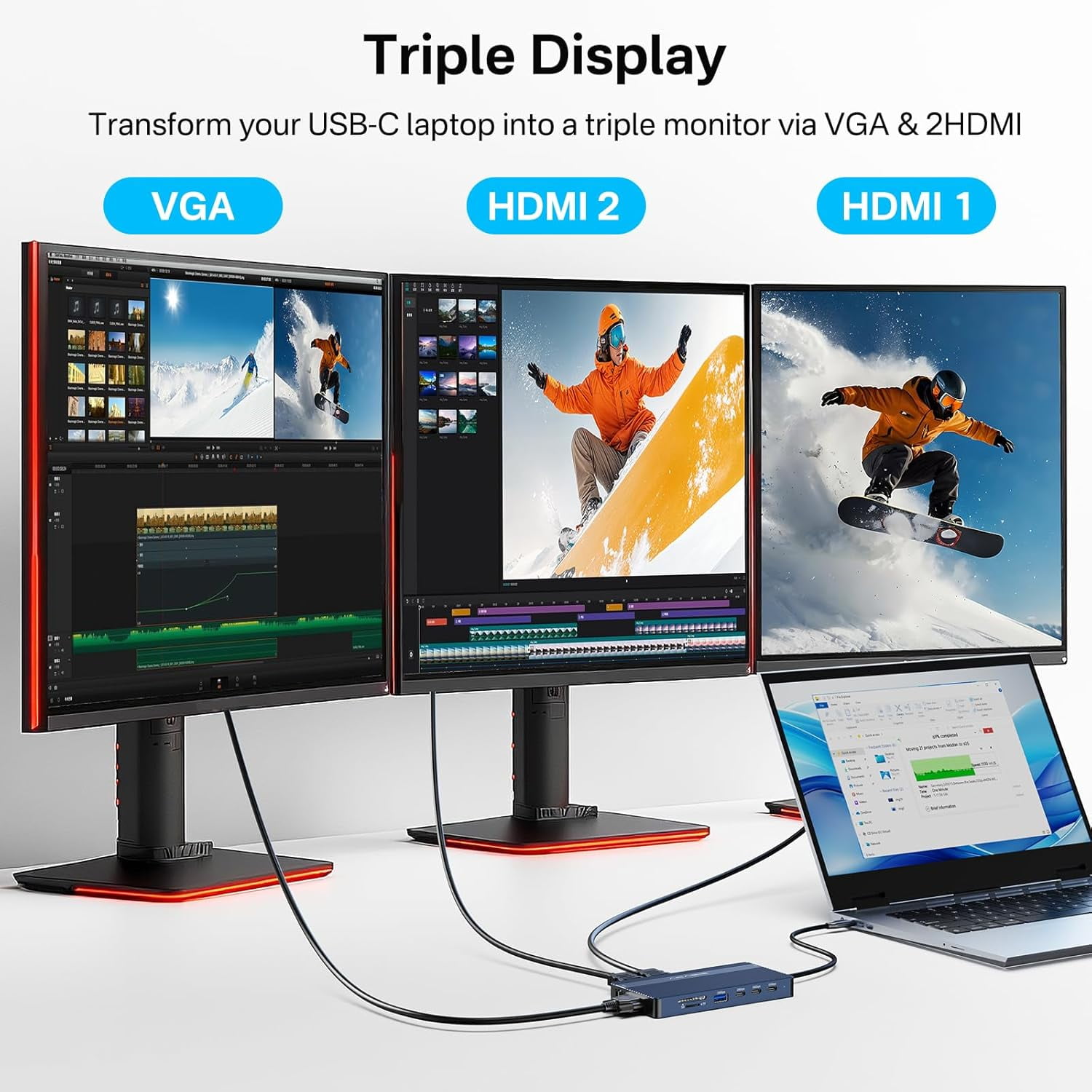
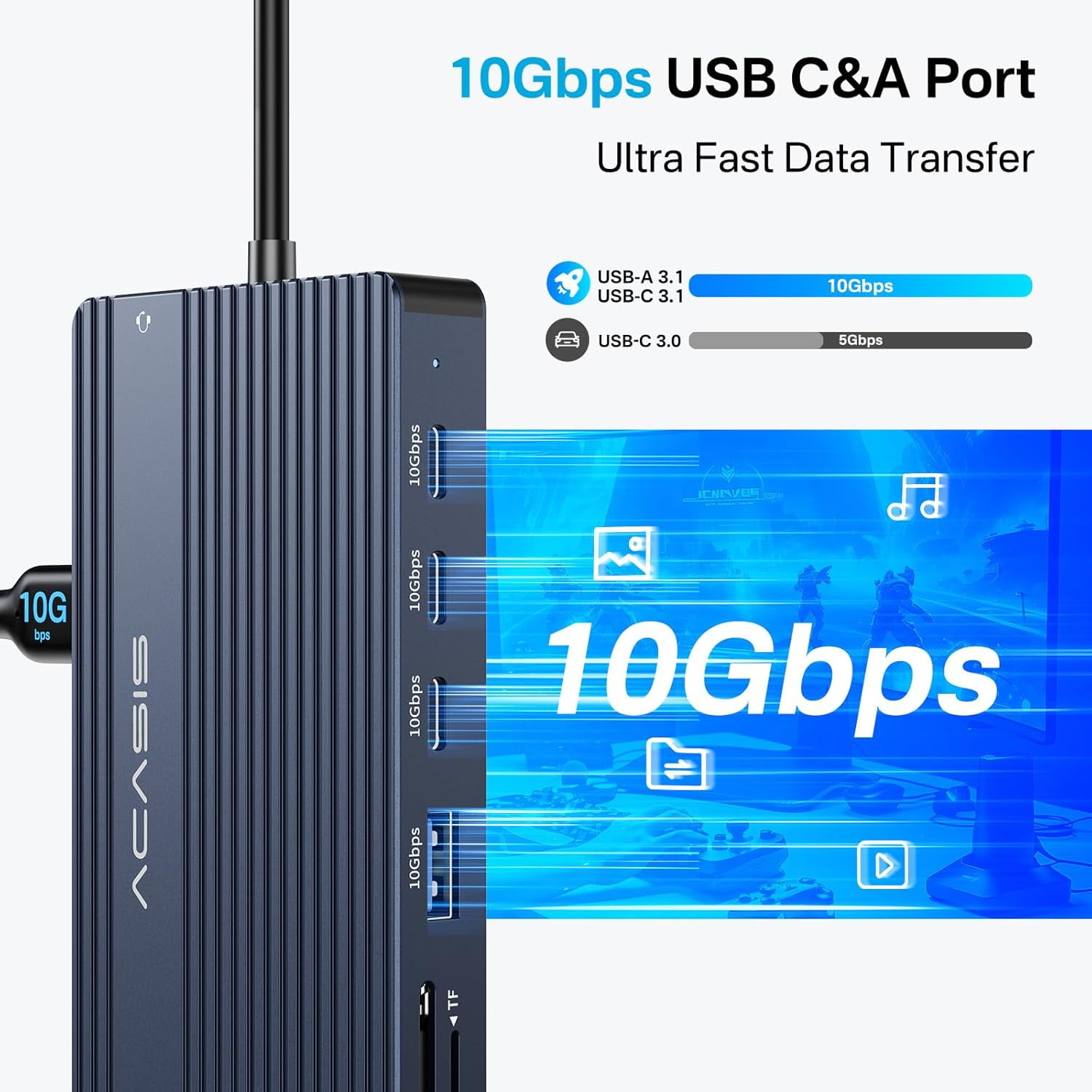
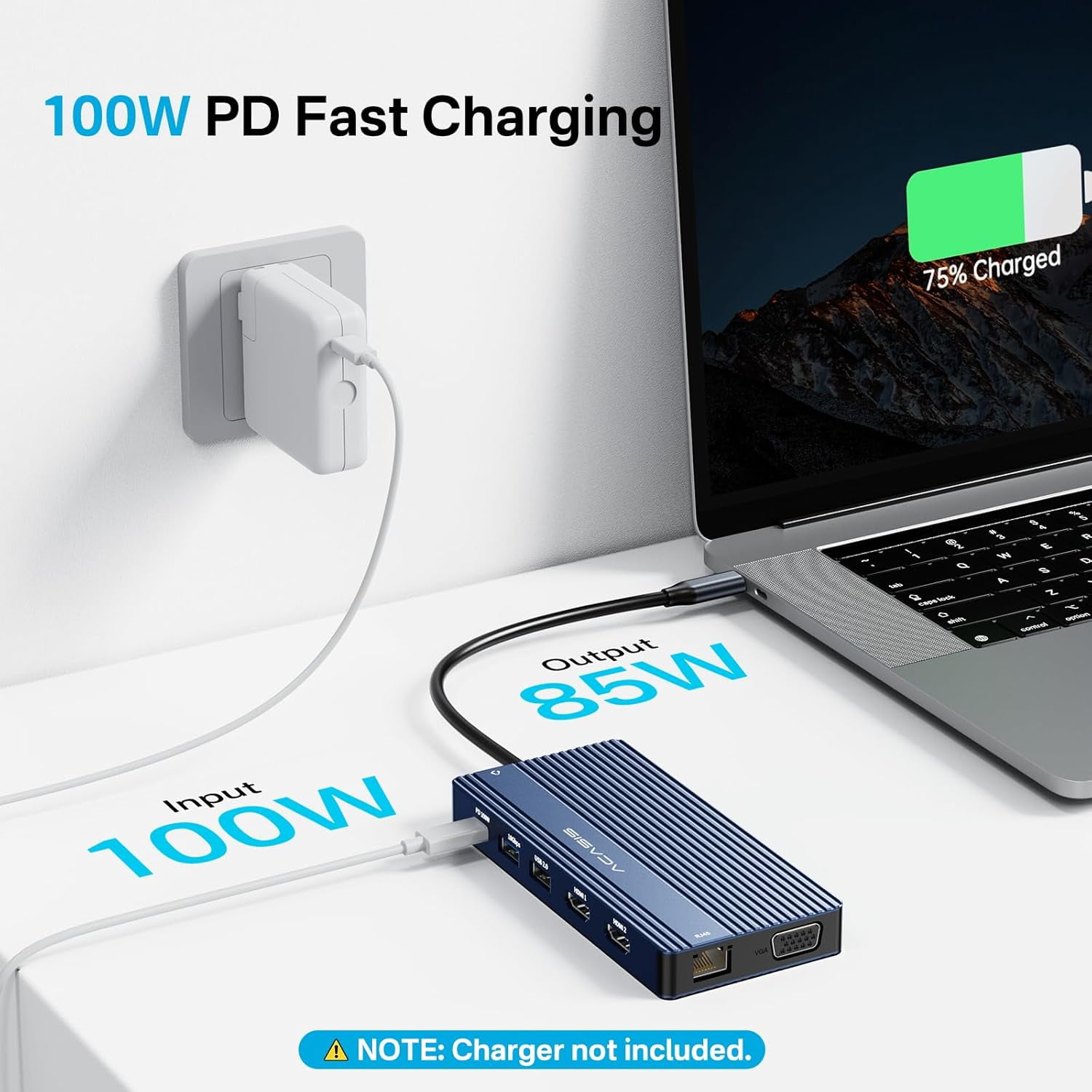
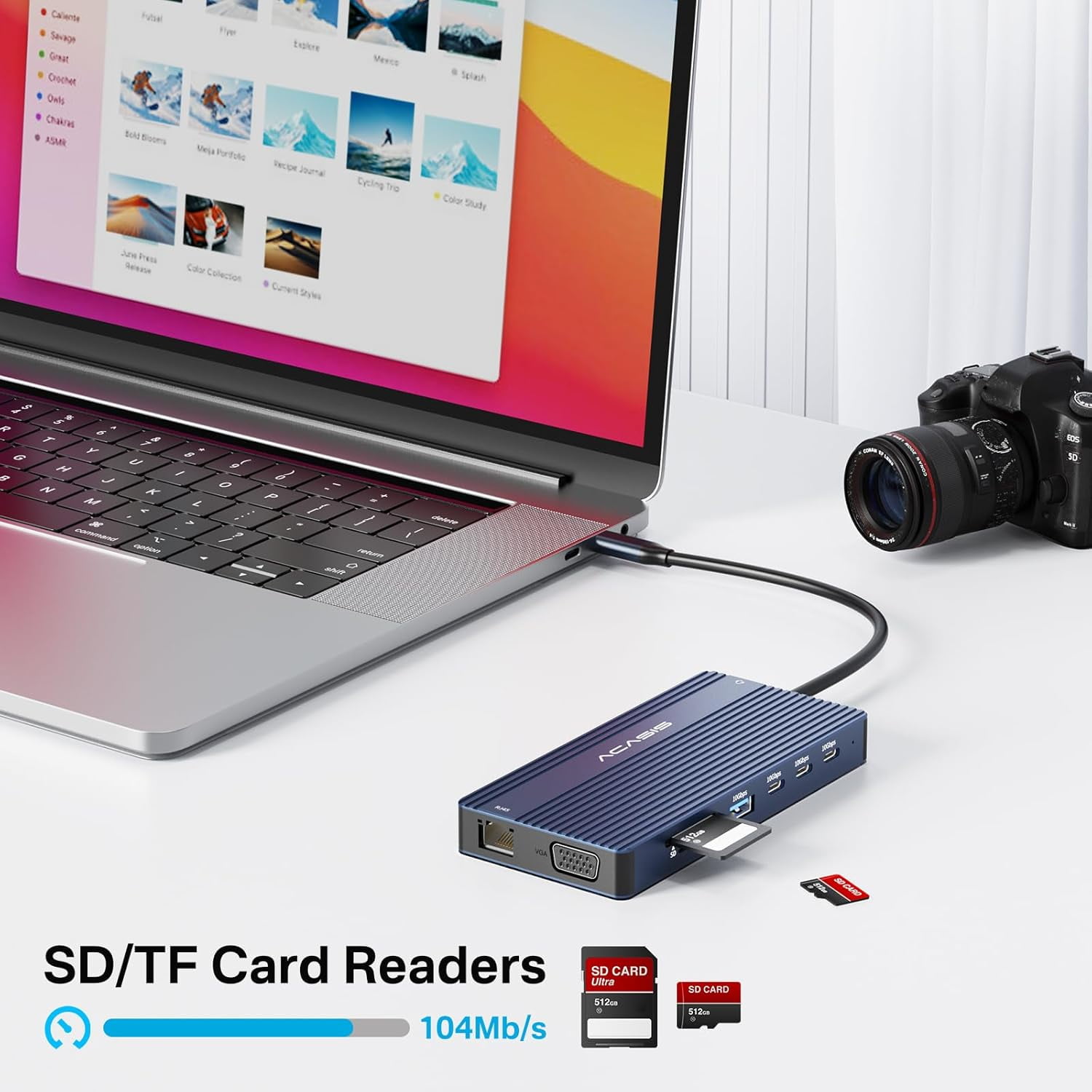
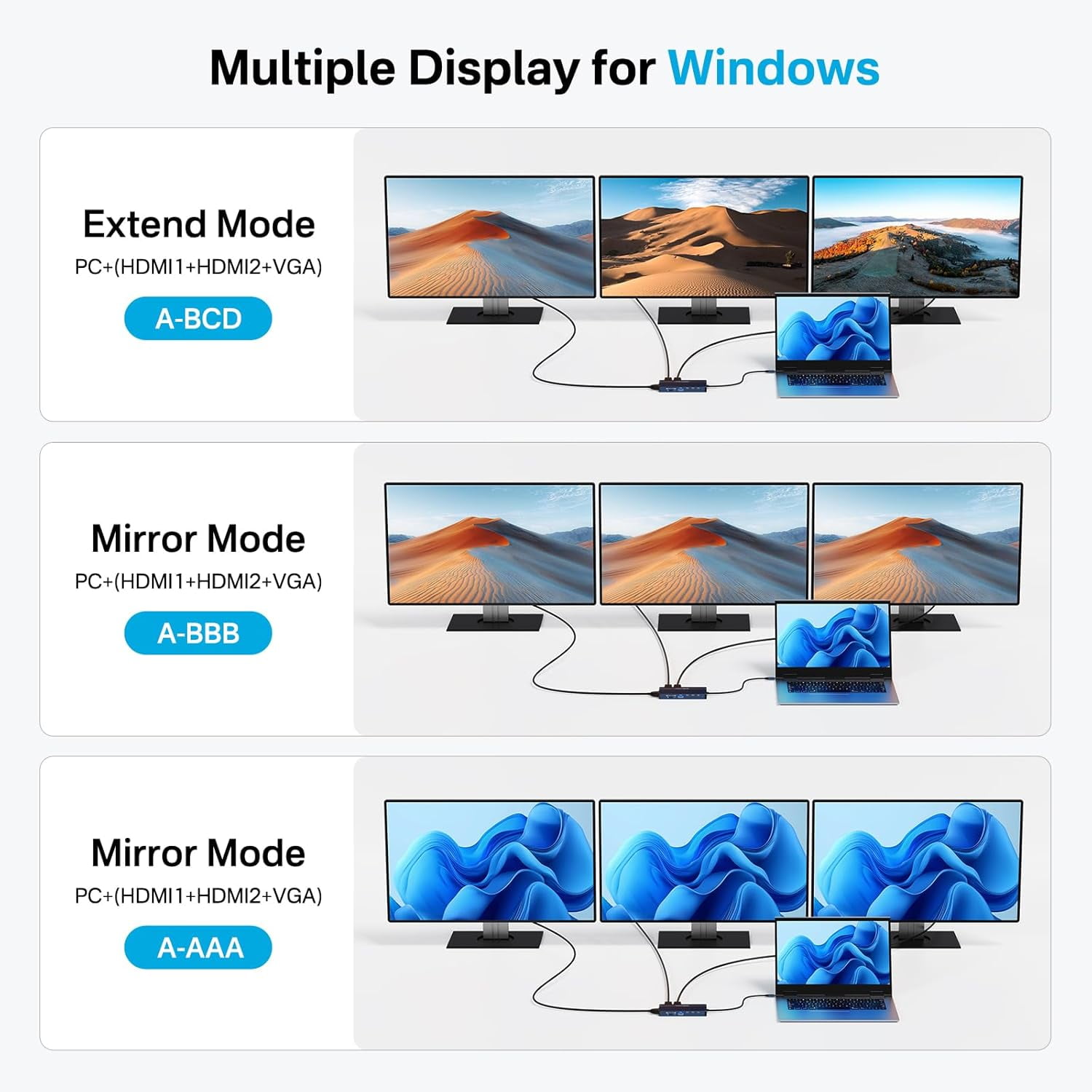
Triple Monitor Extended Display: Elevate your workspace. With 2x HDMI (4K@60Hz) ports and 1x VGA port, you can extend your desktop across three 1080p monitors simultaneously on Windows systems. Perfect for financial analysis, multi-window workflows, and creative projects. High-Speed Data & Connectivity: Connect all your devices. Features USB-A & USB-C 3.1 ports (10Gbps) for ultra-fast file transfers with external drives, plus convenient ports for USB flash drives, mouse, keyboard, security keys (U盾), Gigabit Ethernet (RJ45), and SD/TF card readers (UHS-I). 100W Power Delivery (85W Host Charging): Power your laptop while docked. The PD 100W input port delivers up to 85W of power to your host device (e.g., laptop), keeping it fully charged even under heavy load. Features dynamic power allocation for optimal charging. Driver-Free, Universal Compatibility: Plug and play. Works instantly with Windows, macOS, and Linux systems without needing to install drivers. A versatile solution for various laptops and devices.
- Video Output Ports: 2x HDMI 4K@60Hz, 1x VGA (1080p@60Hz), 1x DisplayPort 4K@60Hz (Note: Specific combinations determine maximum total displays).
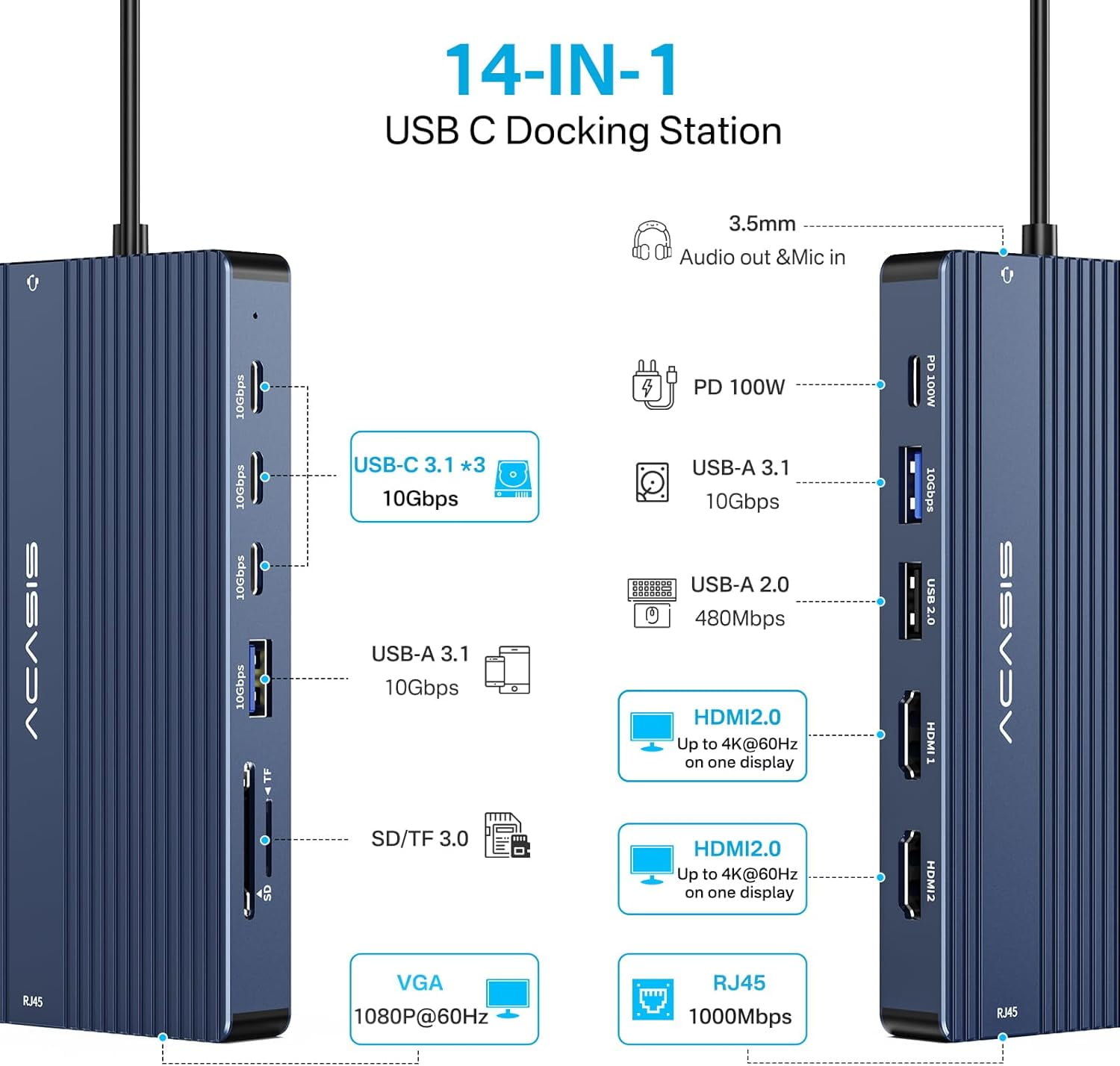
- Data & Network Ports:2x USB-A 3.1 (10Gbps)3x USB-C 3.1 (10Gbps, one for host connection)1x USB-A 2.0 (for peripherals like keyboard/mouse)1x Gigabit RJ45 Ethernet Port1x SD Card Reader & 1x TF (MicroSD) Card Reader (UHS-I, 3.0)
- 2x USB-A 3.1 (10Gbps)
- 3x USB-C 3.1 (10Gbps, one for host connection)
- 1x USB-A 2.0 (for peripherals like keyboard/mouse)
- 1x Gigabit RJ45 Ethernet Port
- 1x SD Card Reader & 1x TF (MicroSD) Card Reader (UHS-I, 3.0)
- Power Port: 1x USB-C PD Input Port (Up to 100W, delivering up to 85W to host).
- Host Connection: 1x USB-C cable (attached or detachable, depending on model) for connecting to your laptop.
- Windows Systems: Supports "ABCD" mode — extending your desktop across the laptop's built-in screen (A) plus three external monitors (B, C, D), thanks to MST (Multi-Stream Transport) technology.
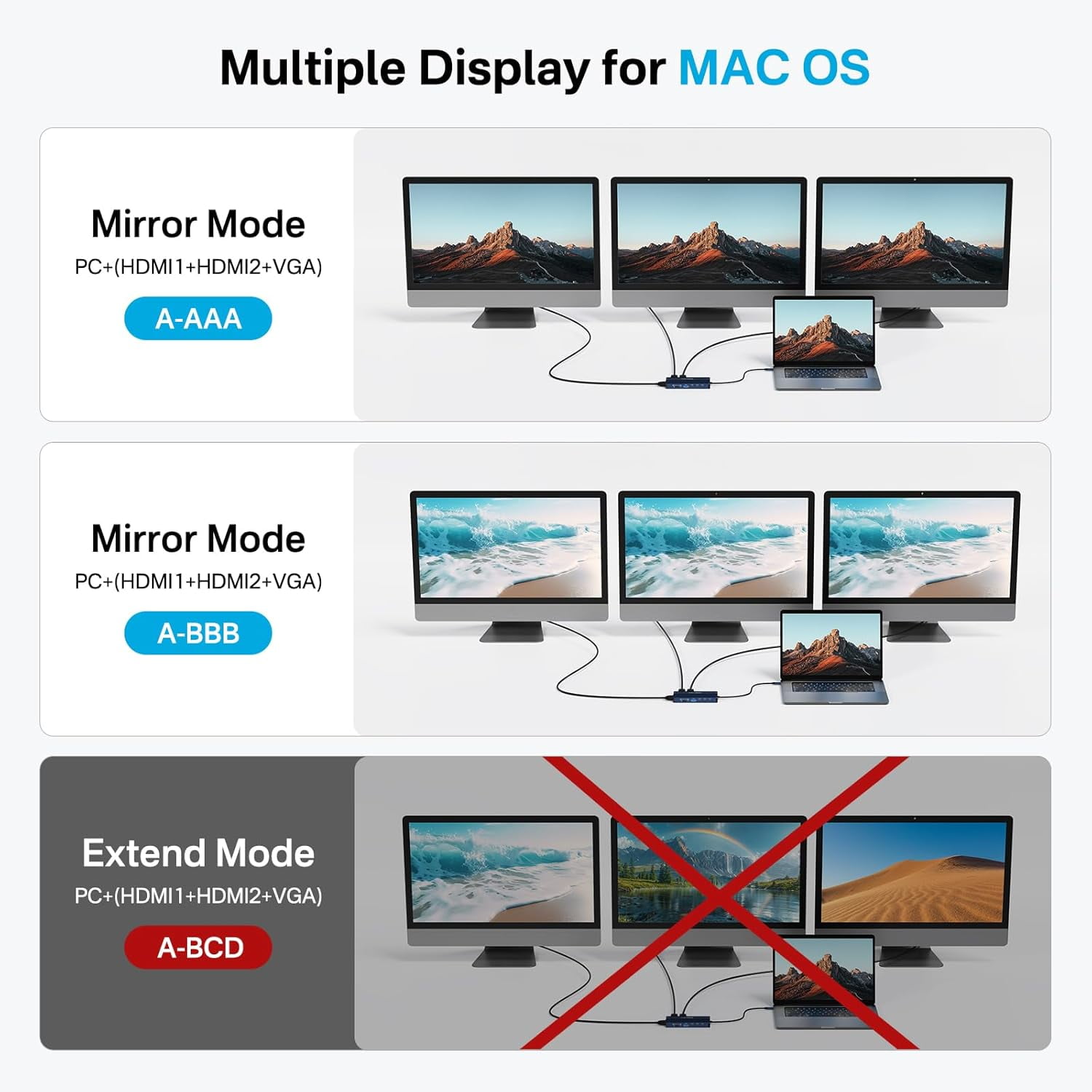
- macOS Systems: Supports "ABBB" mirror/extend mode. Typically, you can extend your desktop to one external monitor (B) and mirror it to two additional displays, as macOS has native limitations for extended displays via most docking stations. (Windows offers greater flexibility for independent displays).
- Pass-Through Power Delivery: Input up to 100W via the dedicated PD port, with up to 85W reliably delivered to your host laptop for simultaneous use and charging.
- Dynamic Power Allocation: Intelligently manages power distribution between the dock and connected devices.
- Important Notes:Full Functionality Requires a Fully-Featured Port: To use all features simultaneously (video, data, charging), your laptop's USB-C port must support DisplayPort Alt Mode and Power Delivery. Such ports are commonly labeled as Thunderbolt 3/4, USB4, or USB 3.2/3.1 Gen 2 "Full-Function" ports. Standard USB-C ports may only support data transfer.Multi-Display Differences Between OS: As noted above, macOS does not support "triple independent extended displays" (ABC mode) through this dock due to operating system limitations. It primarily supports extended display to one monitor plus mirroring. Windows systems fully support triple independent extended displays (ABC mode) when using compatible hardware and the correct port.
- Full Functionality Requires a Fully-Featured Port: To use all features simultaneously (video, data, charging), your laptop's USB-C port must support DisplayPort Alt Mode and Power Delivery. Such ports are commonly labeled as Thunderbolt 3/4, USB4, or USB 3.2/3.1 Gen 2 "Full-Function" ports. Standard USB-C ports may only support data transfer.
- Multi-Display Differences Between OS: As noted above, macOS does not support "triple independent extended displays" (ABC mode) through this dock due to operating system limitations. It primarily supports extended display to one monitor plus mirroring. Windows systems fully support triple independent extended displays (ABC mode) when using compatible hardware and the correct port.
| Compatibility | Dell, Lenovo, HP, ThinkPad |
|---|---|
| Maximum number of monitors | 3 |
| Inputs/Outputs | 2x HDMI 4K@60Hz, 1x VGA (1080p@60Hz), 1x DisplayPort 4K@60Hz, 2x USB-A 3.1 (10Gbps), 3x USB-C 3.1 (10Gbps, one for host connection), 1x USB-A 2.0 (for peripherals like keyboard/mouse), 1x Gigabit RJ45 Ethernet Port, 1x SD Card Reader & 1x TF (MicroSD) Card Reader (UHS-I, 3.0), 1x USB-C PD Input Port (Up to 100W, delivering up to 85W to host), 1x USB-C cable (attached or detachable, depending on model) for connecting to your laptop. |
| Resolution | 4K@60Hz |
| Usb version | USB 3.1 |
| In/Out type | HDMI |
| Input/output quantity | 1 |
| Brand | ACASIS |
| Accessories | Product + Instruction Manual |
| Model name | DS0201 |
| Has written warranty | No |
| Height | 7.08 in |
| Weight | 0.2 lb |
| Input/output direction | Input |
| Has nrtl listing certification | N |
Bestseller ranking
Ceiling Fixtures


Customers who viewed this product also viewed
Computers


Correction of product information
If you notice any omissions or errors in the product information on this page, please use the correction request form below.
Correction Request Form